Party quiz for Home Assistant
Every phone in the room is a buzzer.
The party quiz for Home Assistant: guests scan a QR code, type a name and they're in. Questions on the TV, answers on the phone, points for being fast. No app, no accounts.
- Free, open source
- No app, no accounts
- Runs on your own HA
- In the HACS default list
- v1.24.0
How a game night works
Three steps. Nothing to install for guests.
- 01
Put the board on the TV
Open the Quizify dashboard on the TV. It shows a QR code and the join address, and later the questions, the reveal and the standings.
- 02
Everyone scans in
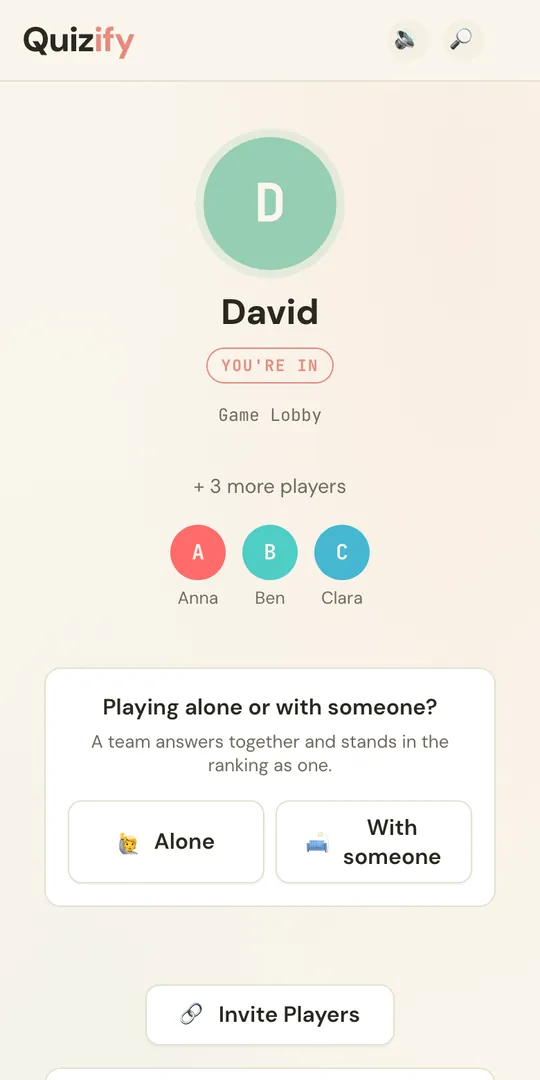
Guests point their phone camera at the QR code and type a name. No app, no account, no password. Someone late? They scan in mid-game and start on the room's average score.
- 03
Answer, reveal, podium
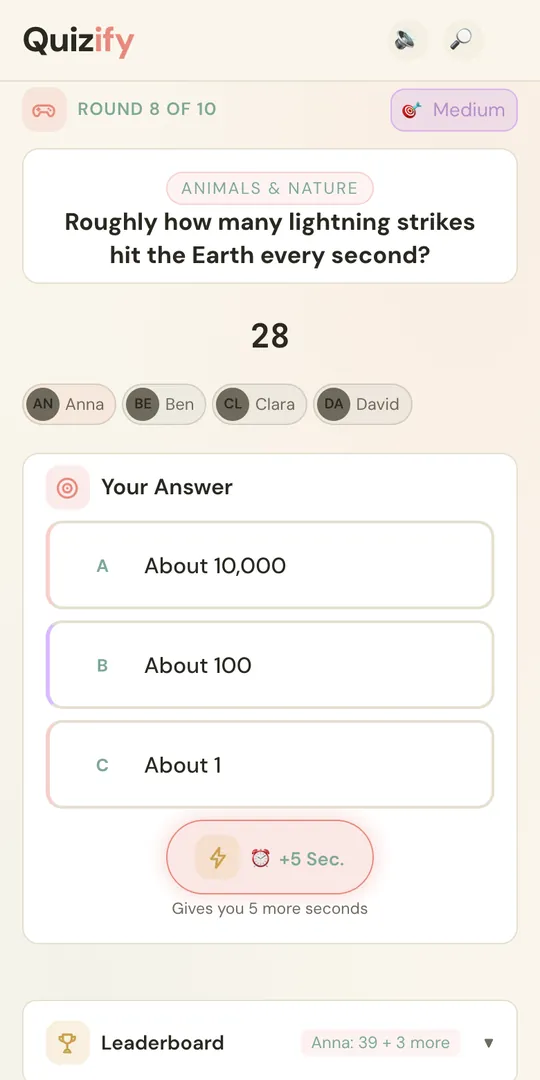
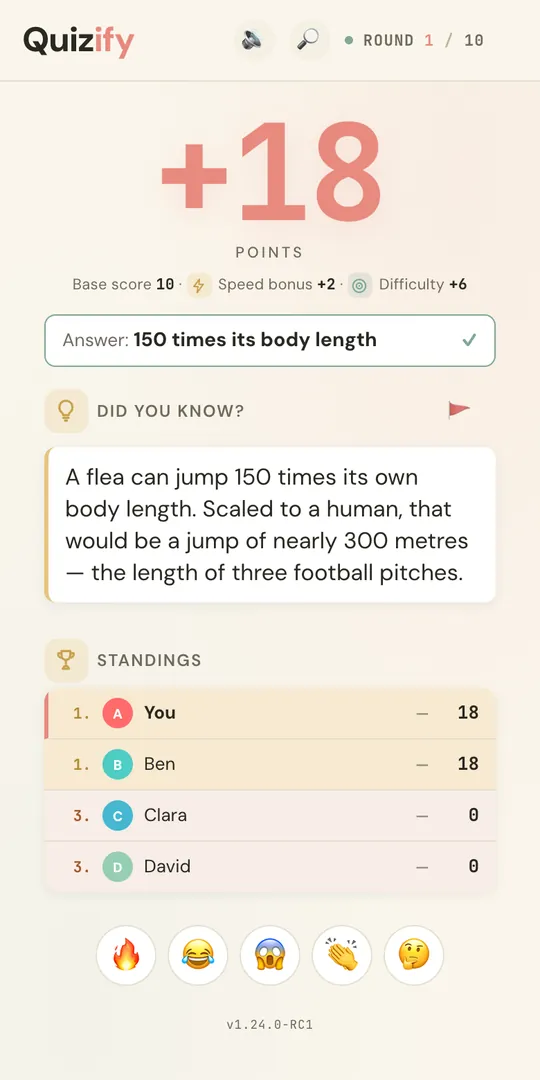
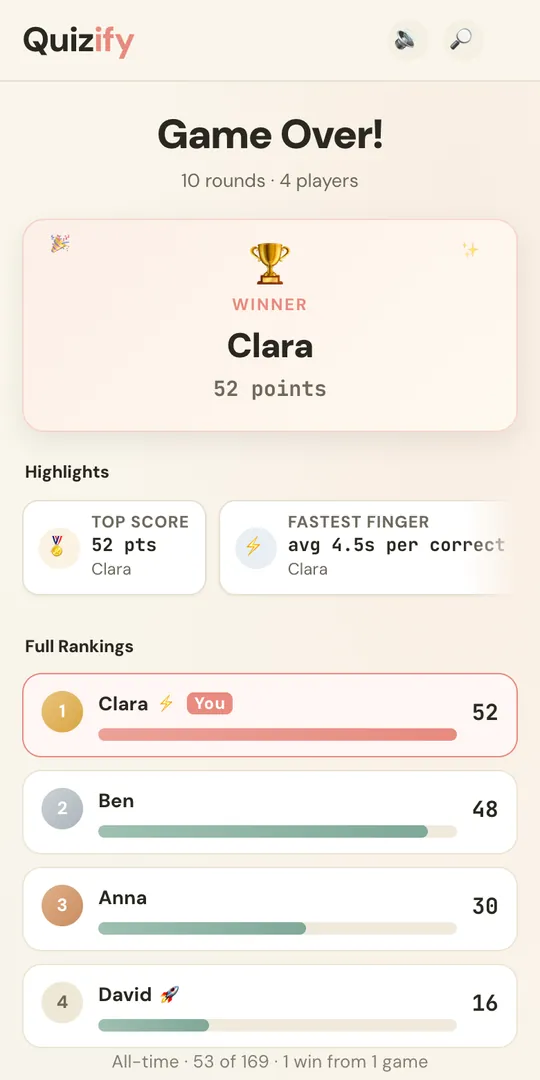
Three answers per question, points for speed and streaks. The TV shows who was right and a fun fact. After the last round: the podium and the awards.
Game modes
The bit where friendships get tested.
One random player gets a power-up each round. Everyone sees who used it on whom.
Joker
Knocks out one wrong answer.
Double
This round's points count twice.
Freeze
Locks a rival out for 5 seconds while their clock keeps running.
Steal
Takes half of a rival's points for the round.
+5 Sec
Five extra seconds on your own timer.
More than question and answer
- 5 × 15 s
Lightning Round
A surprise sprint mid-game: five questions, fifteen seconds each, no breaks. The answers come at the end.
- 1 chair
Hot Seat
Once per game the chair is auctioned. Everyone bids a share of their points in secret; the winner answers alone while the rest bet on them.
- closest wins
Estimate questions
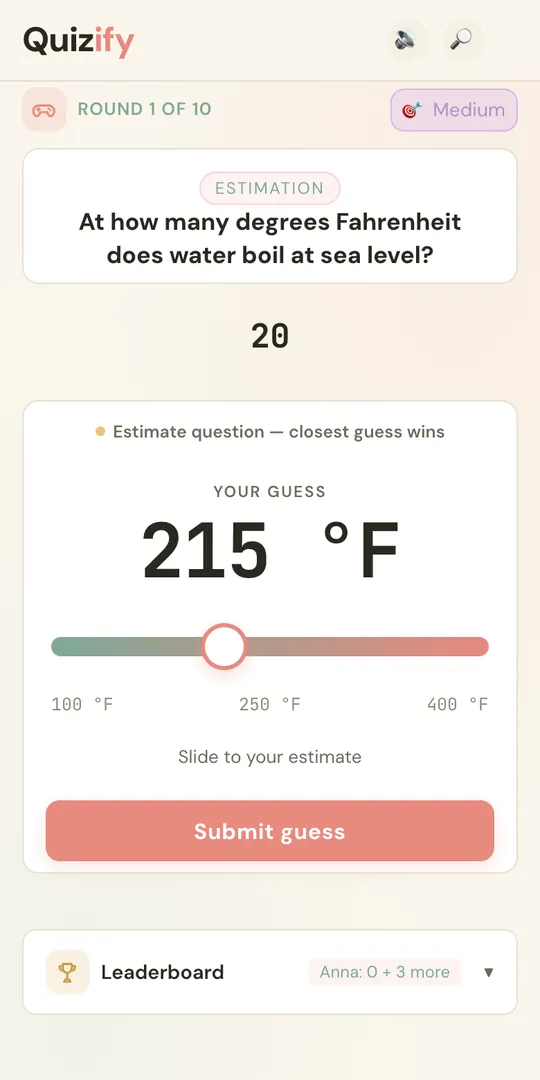
A slider instead of three buttons. How tall is the Empire State Building? The closest guess takes the points, and the number line shows everyone's guess.
- 2 on 1 sofa
Teams
Two people on one sofa play as one. Teams form themselves in the lobby; the host assigns nobody.
- DE · EN · ES
Narration
A Home Assistant speaker reads the question, names the options and announces the answer. Off until you switch it on.
- every pack
Picture questions
Every themed pack carries picture and estimate questions of its own, plus dedicated Picture Round packs.
The last question is a wager: stake 0 to 100 % of your points. Right wins the stake, wrong loses it. Streaks pay from the third correct answer in a row.
Big screen
Put the board on the TV.
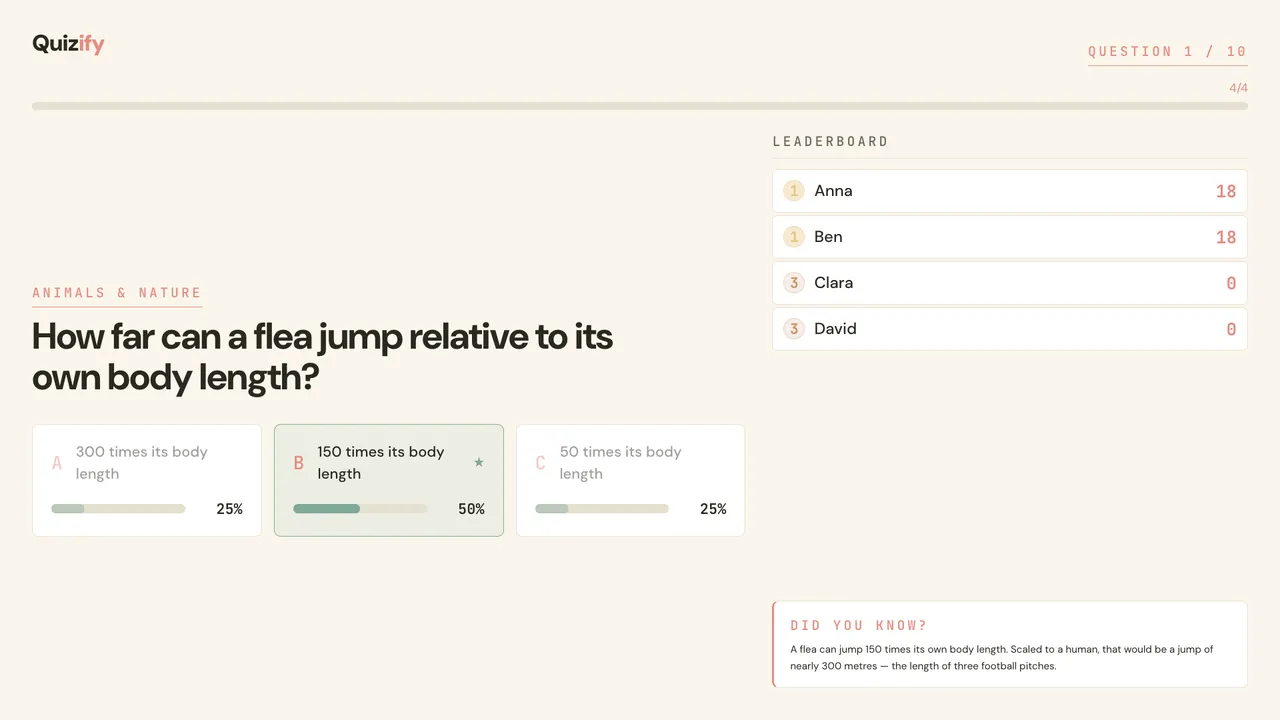
The TV view is landscape and readable from the sofa: the question, the answer tiles, the share of the room per answer at the reveal, a fun fact and the leaderboard. Open it in the TV's browser, cast a Chrome tab, or embed it in a Lovelace view.
The pack library
6,830 questions. 50 packs. Three languages.
18 themes, weird-but-true rather than capital cities. Pick one pack or stir several together. Seasonal packs step forward when their dates come round.
DE German · 17 packs · 2,269 questions
- Geographie
- Tiere & Natur
- Popkultur
- Film & Serien
- Sport
- Musik
- Wissenschaft
- Geschichte
- Essen & Trinken
- Technik
- WeltmeisterschaftJune–July
- Schätzfragen
- Bilderrätsel
- HalloweenAll October
- Sankt Martin4–11 Nov
- Weihnachten1–26 Dec
- Silvester27 Dec–6 Jan
EN English · 17 packs · 2,325 questions
- Geography
- Animals & Nature
- Pop Culture
- Film & TV
- Sport
- Music
- Science
- History
- Food & Drink
- Technology
- World CupJune–July
- Estimation
- Picture Round
- HalloweenAll October
- Thanksgiving19–28 Nov
- Christmas1–26 Dec
- New Year's Eve27 Dec–6 Jan
ES Spanish · 16 packs · 2,236 questions
- Geografía
- Naturaleza
- Cultura Pop
- Cine y series
- Deportes
- Música
- Ciencia
- Historia
- Comida y bebida
- Tecnología
- Copa MundialJune–July
- Estimación
- Ronda de Imágenes
- HalloweenAll October
- Navidad1–26 Dec
- Nochevieja27 Dec–6 Jan
Install
Two minutes in HACS.
Quizify is in the HACS default list, so there is nothing to add: search for it. Needs Home Assistant 2024.12 or newer. The button opens it in your HACS directly.
- HACS
- Search
Quizify - Download
- Restart HA
- Settings
- Devices & services
- Add integration
- Quizify
First game
From sidebar to first question
- Open. Quizify sits in the Home Assistant sidebar.
- Pick. Choose one pack or mix several, then Quick Round, Classic or Marathon.
- Cast. Open the TV view on the television. Guests scan the QR code.
- Play. When everyone is in the lobby, start the game. You can join as a player yourself.
TV address: http://YOUR-HA-IP:8123/quizify/dashboard
FAQ
Before you invite anyone.
Do guests need an app or an account?
No. They scan the QR code, the game opens in the phone's browser, they type a name. Only the host signs in, with their normal Home Assistant login.
How many people can play?
One to twenty and more. It has been tested with over 20 players; your Wi-Fi is the real limit. Solo works too: the host joins as a player.
Which languages?
German, English and Spanish, for the questions, the screens and the narration. The questions come in the language of the pack you pick; each phone can switch its own screens to another of the three.
Do I need a TV?
No. Every phone shows the question and the answers. The TV view is the shared stage: big question, reveal, fun fact and leaderboard for the whole room.
Does anything leave my network?
Not to play. Quizify runs inside your Home Assistant, with no cloud, no subscription and no tracking; packs, pictures, fonts and sounds ship with it. The one exception is opt-in: if you set up community pack submission, a pack you submit goes to the address you configured. Over Nabu Casa, guests join through your remote URL.
Can I add my own questions?
Yes. A pack is one JSON file in <config>/quizify/packs/. Run the Reload question packs action and it shows up in the picker, no restart needed. The format is in the README.